
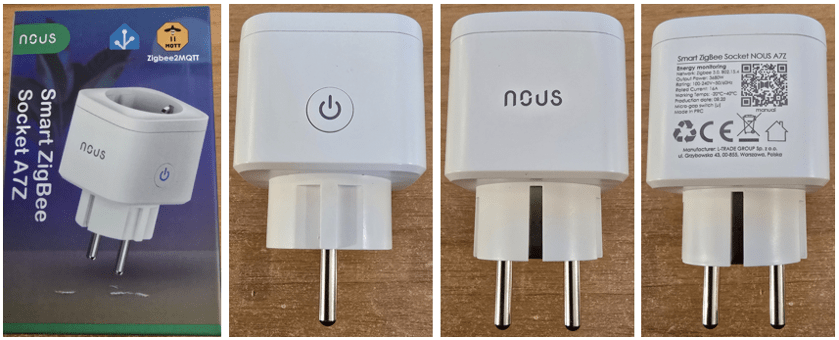
Not a lot to say about the Nous ZigBee socket AZ7 except to say it’s a fairly normal looking smart socket with a button on the side for manual override on/off. It’s designed to run on ZigBee 3.0 (not WiFi) and handle 3680w load – that would be resistive load at 100-240 volts – rated current 16 amps – working temperature -20 to 40 degrees. Dimensions: 50mm x 56mm x 83mm. Which means it’s not the smallest smart plug but not the biggest either.
Anyway, I plugged it in to the mains. There was a blue light on the button, not flashing, so just instinctively I held the button in for several seconds. The blue light on the button started flashing on and off. I went to my ZigBee2MQTT panel and added the unit in, and that was it. Fully supported by Zigbee2MQTT (and of course by Nous’s own app if you’re that way inclined).
I checked the voltage – correct. The unit has a countdown timer – but personally I’d always use Home Assistant for that. As you would expect today, state after a power outage can be set to off, on or last state. There is a child lock on the real button on the side – but I’ll bet you that long-press still resets the device – let’s hope there aren’t too many malicious kids who would figure that out. This applies to pretty much any such smart device with a child lock.
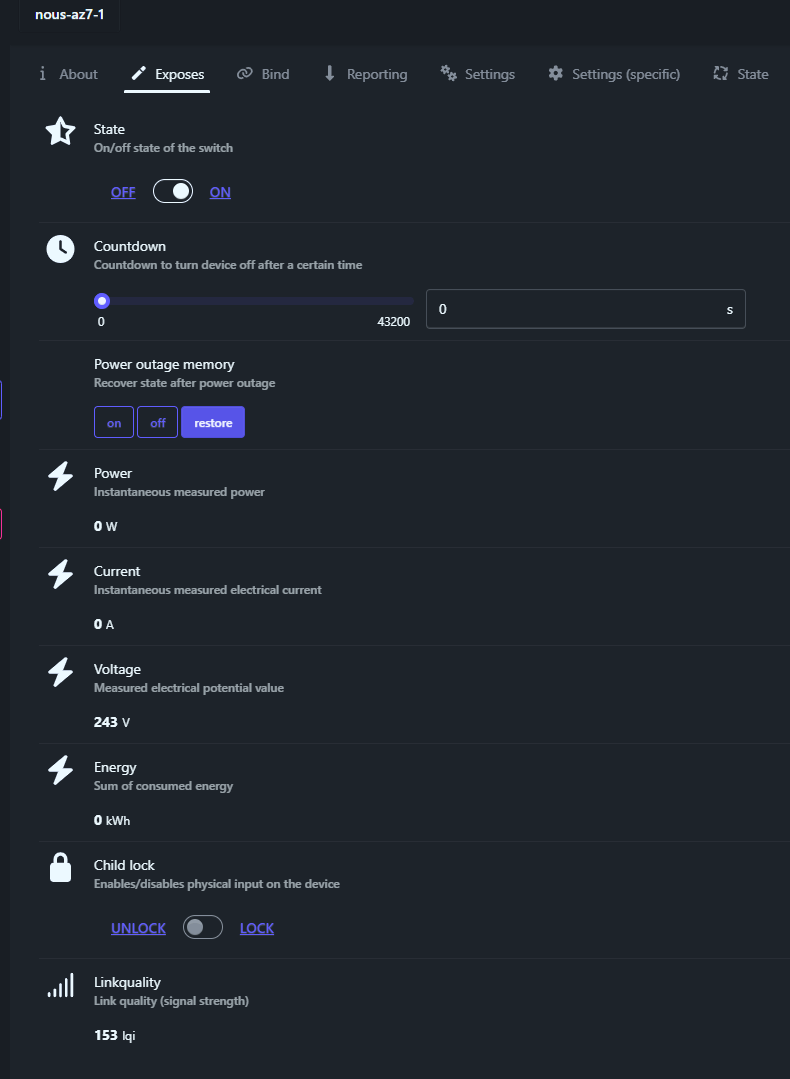
So in summary, a fairly standard smart socket with energy monitoring. I believe the price is reasonable. It’s easy to find out on the Nous website… their website contains all the manuals and everything else you need. Very easy to read in English and several other languages. A small slip of paper comes with the product, as comes with other Nous products. In several languages, it takes you to a QR code to either get their app for iOS or Android, or get the manual, or both.
If going down tha non-app route as I did, everything is fully supported in home Assistant once you’ve told Zigbee2MQTT to update a Home Assistant ID for the device. Couldn’t be easier.
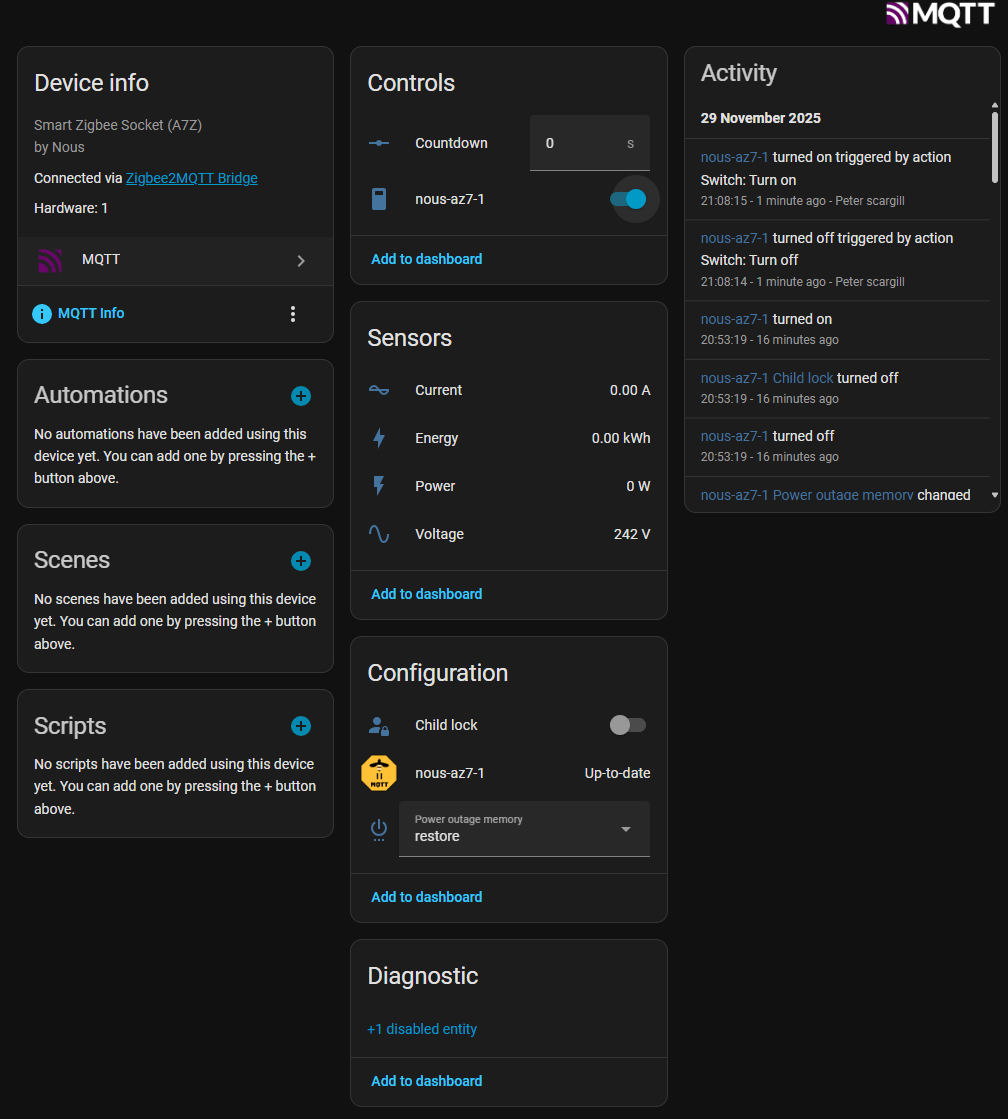
So – to test – as it happens I have a 1KW oil heater I’ve just put under my desk as it is VERY cold here in inland Spain and I needed a little extra heat.
For anyone not familiar with Zigbee – no cloud needed. In my case I have the free Zigbee software running under Home Assistant on a mini-PC. That and an Ethernet Zigbee “coordinator” – SMLight SNZB06. Around the house, various mains-powered Zigbee devices act as repeaters – i.e. routers – to ensure home-wide coverage. Like other Zigbee smartplugs, the AZ7 smartplug also acts as a Zigbee router. The more I get into this and Tasmota-based Wifi devices – the less I’m inclined to use Tuya cloud-based devices. Thanks to the use of the free Tailscale VPN I can access all of these devices from anywhere.
I attached my little 1kw oil heater to the Nous AZ7 socket and took the opportunity to beef up the imagery on my Home Assistant main dashboard to add a glowing tile for the heater – and here it is below below-right.
And while I’m on the subject of tarting up the front panel – Antonio just pointed me to this video – animated cards. And the code… and the result of combining my card-mod effects (described elsewhere in the blog) with this guy’s excellent work…
the countdown is there in case you want to do “inching”, like turning something on and off rapidly, like a gate opener (not that i know any needing 16A…), and having it locally makes it work even if ha is unavailable, the same way as you do with tasmota rules